Phone Number Verification
SMS Opt-In Disclosure
Quest App, Inc. ("Quest") is a dating application available on iOS. Quest uses SMS-based one-time passcodes (OTP) to verify user identities during account signup and login.
How Users Opt In
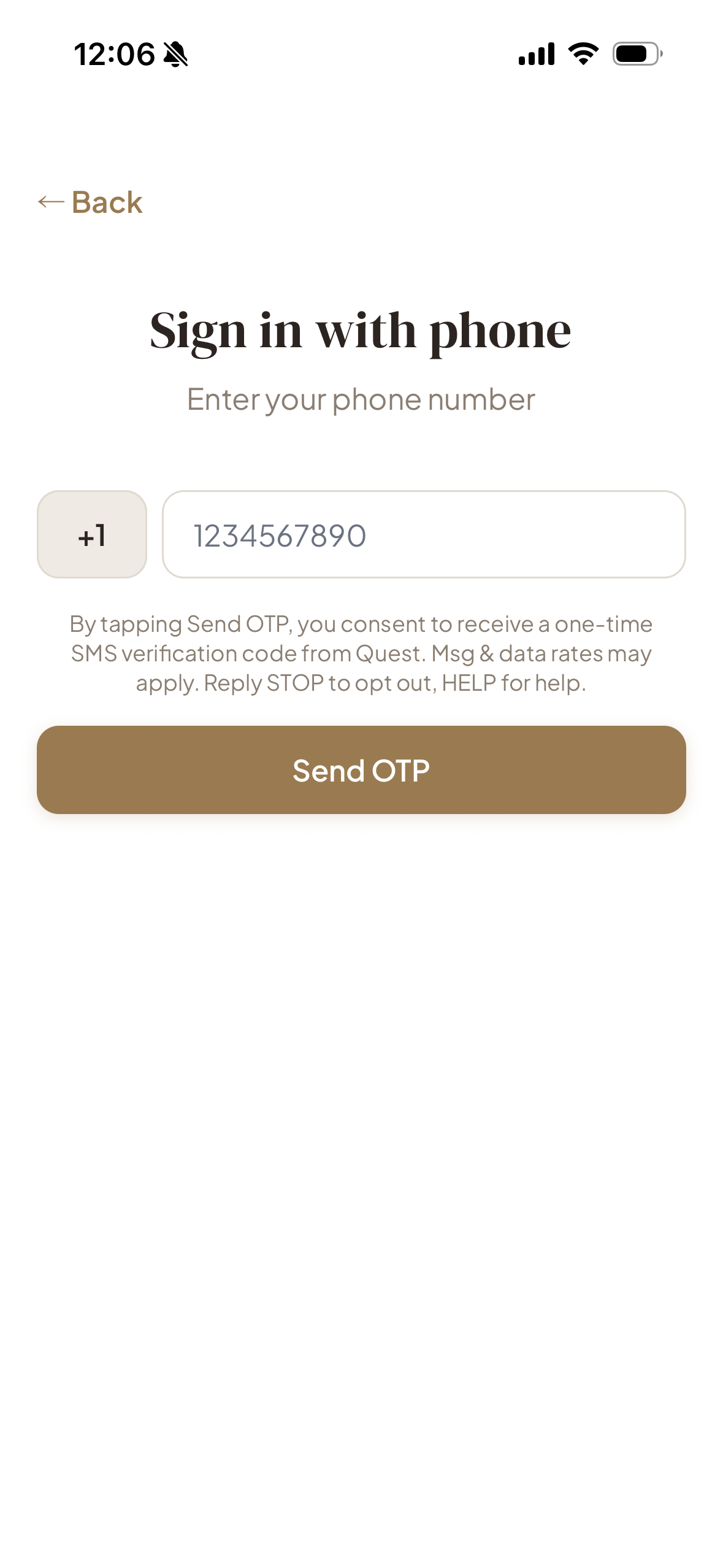
Users provide consent by entering their mobile phone number directly in the Quest app and tapping the "Send OTP" button to request a verification code. Before sending, users see explicit consent language on-screen. This is a user-initiated action — messages are sent only in response to the user's explicit request and are not recurring or automated.
Message Details
- Purpose: Phone number verification (2FA) for account signup and login only.
- Message frequency: Varies based on authentication attempts. Typically one message per login or signup attempt.
- Sample message: "Your Quest verification code is 123456. Enter this code to continue."
- Message and data rates may apply.
Opt-Out & Help
Users may opt out at any time by replying STOP to any verification message. Users may reply HELP for support information.
Quest App, Inc.
Contact: support@thequestapp.co